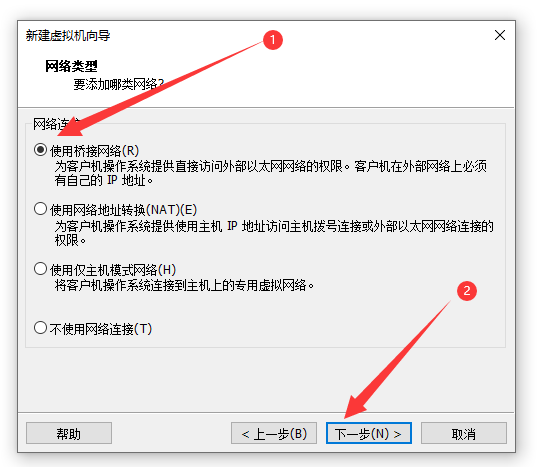
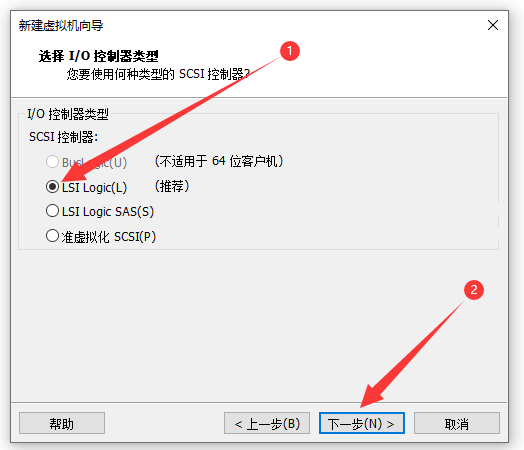
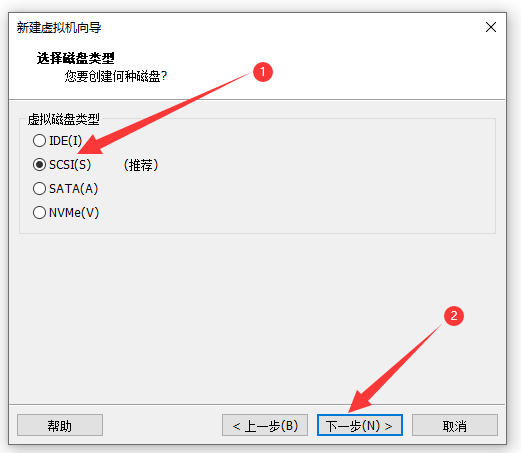
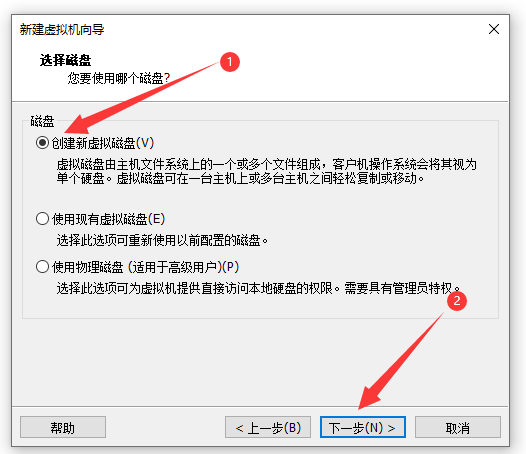
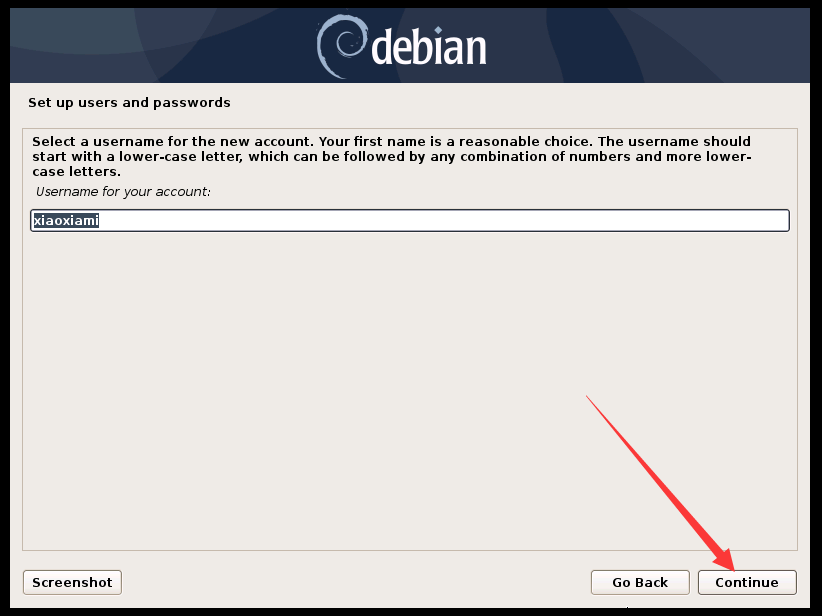
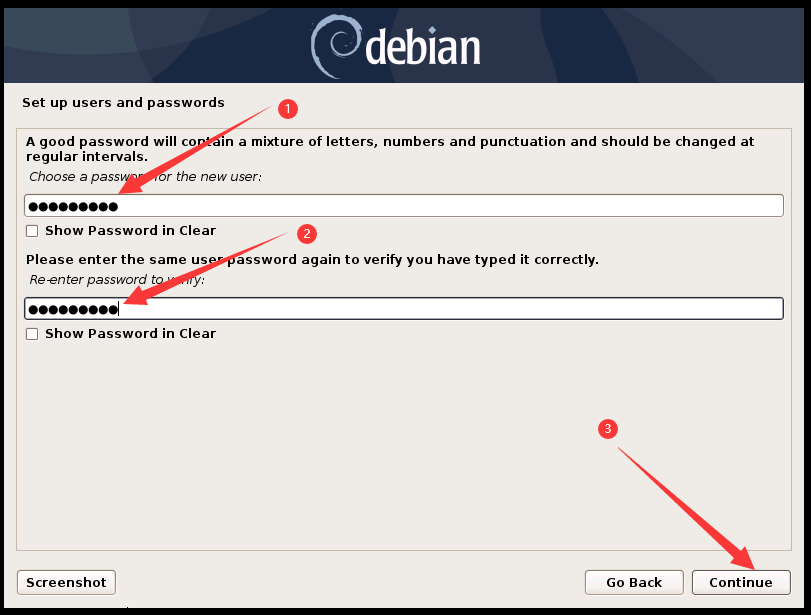
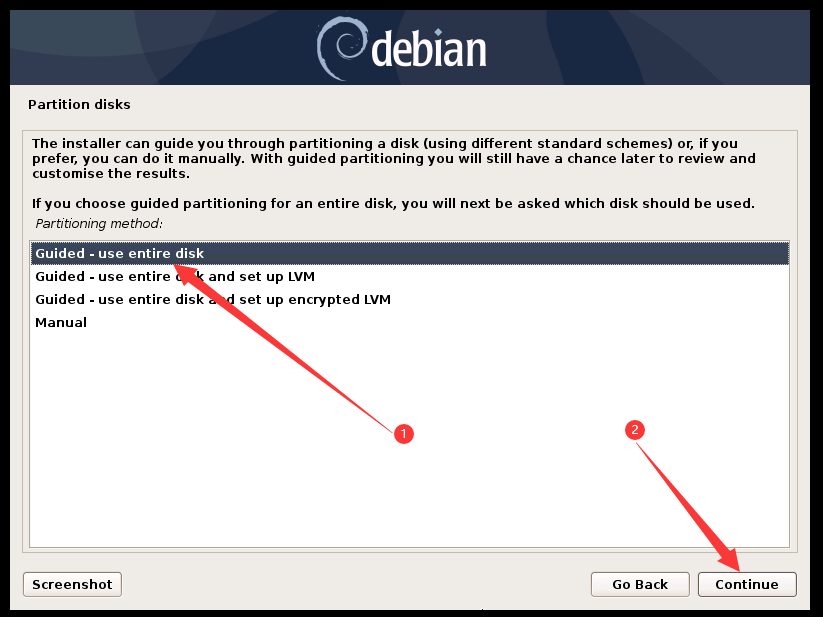
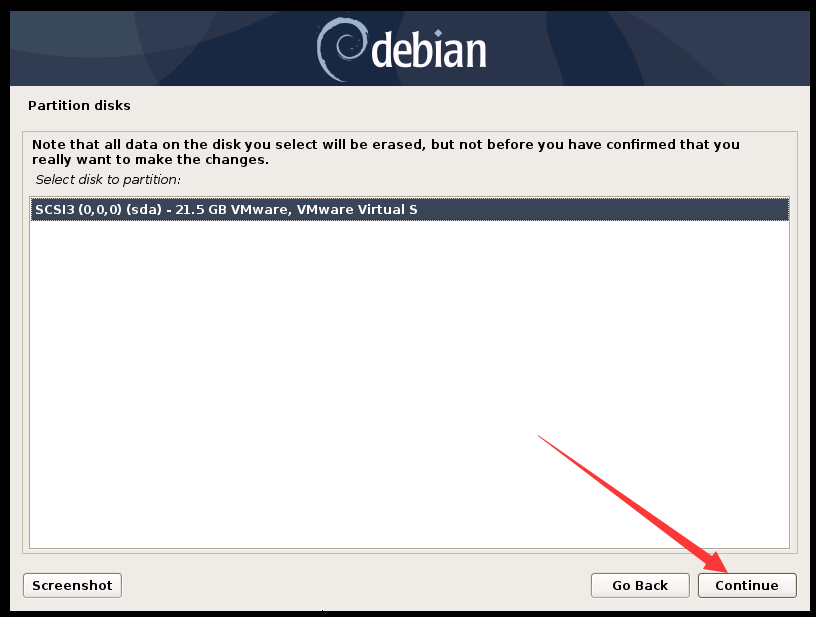
|
虚拟机软件: vmware workstation虚拟机
iso镜像:debian-10.7.0-amd64-DVD-1
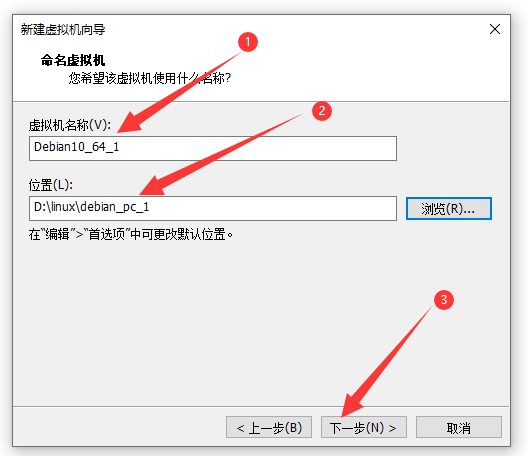
提前创建安装目录:D:\linux\debian_pc_1
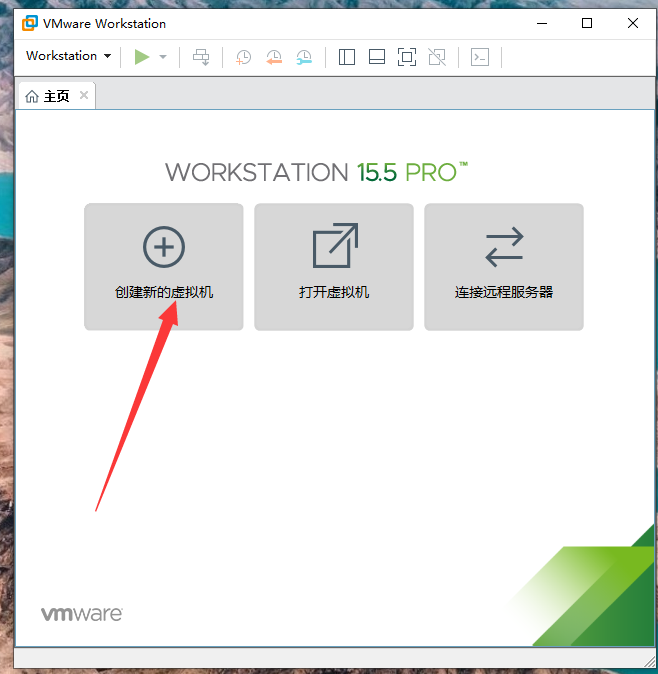
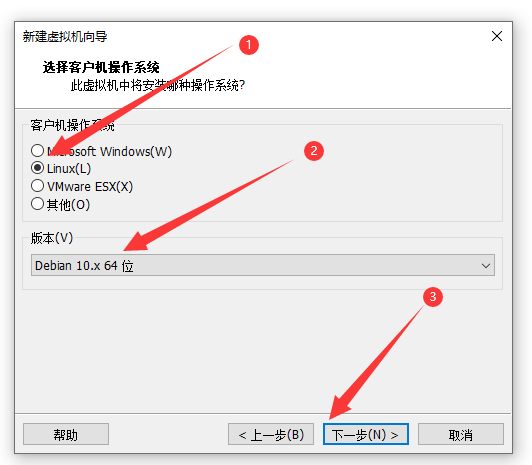
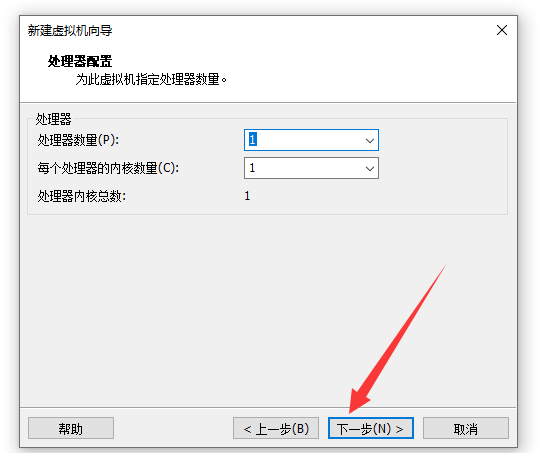
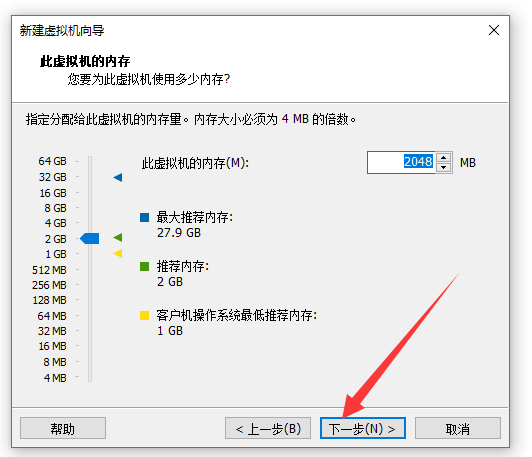
1、打开vmware workstation虚拟机,点击创建新的虚拟机
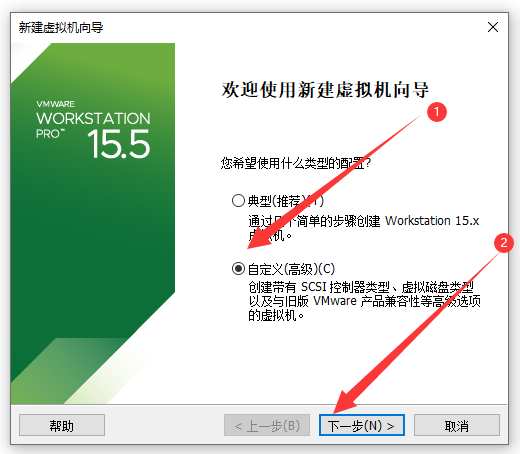
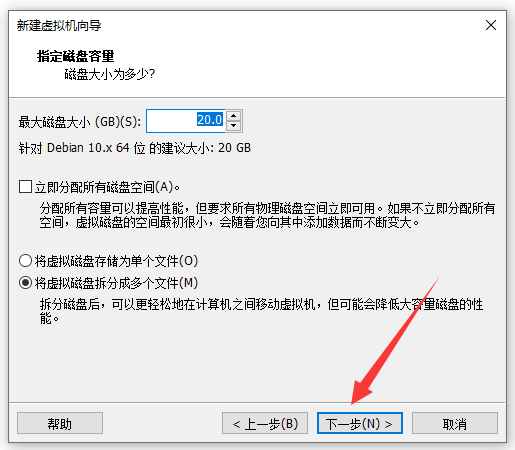
2、
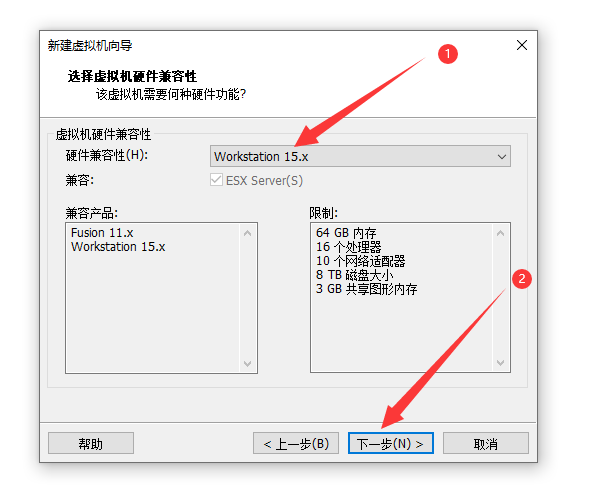
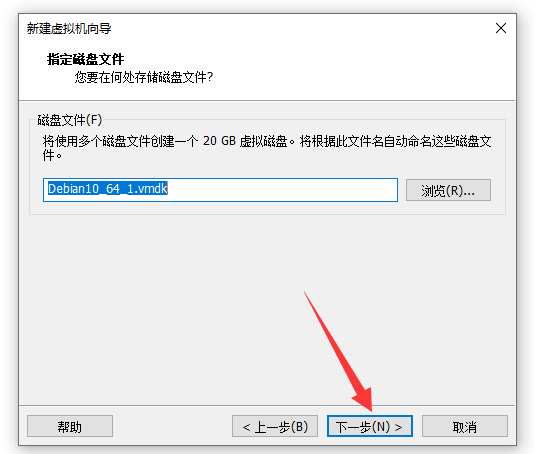
3、
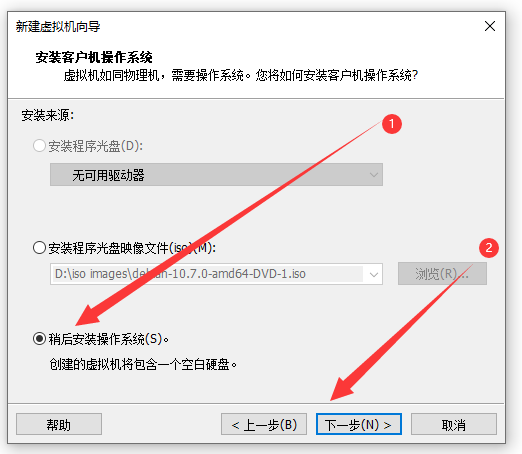
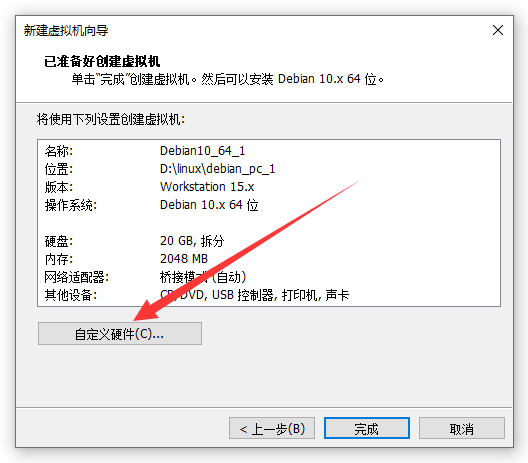
4、
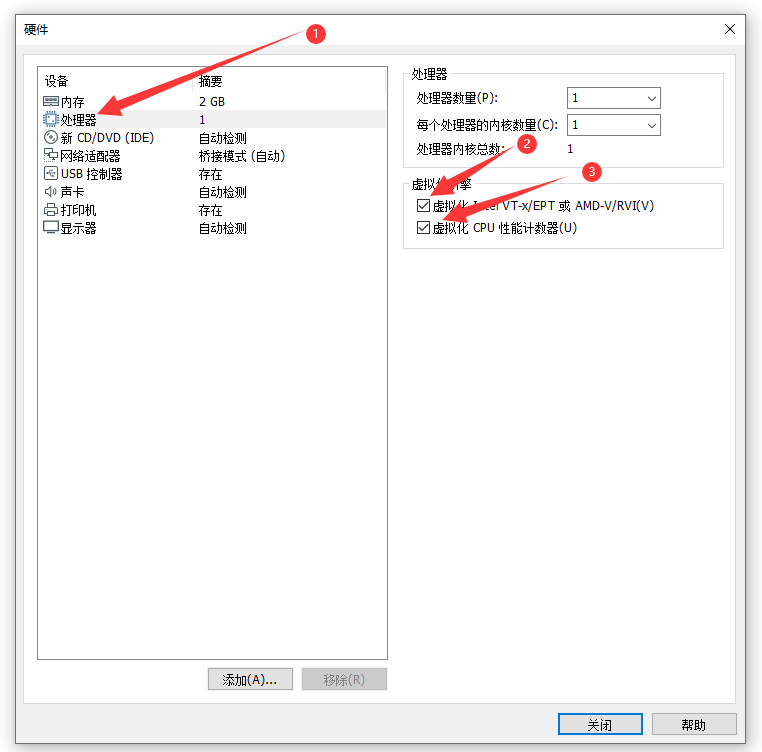
5、
6、
7、
8、
9、
10、
11、
12、
13、
14、
15、
16、
17、
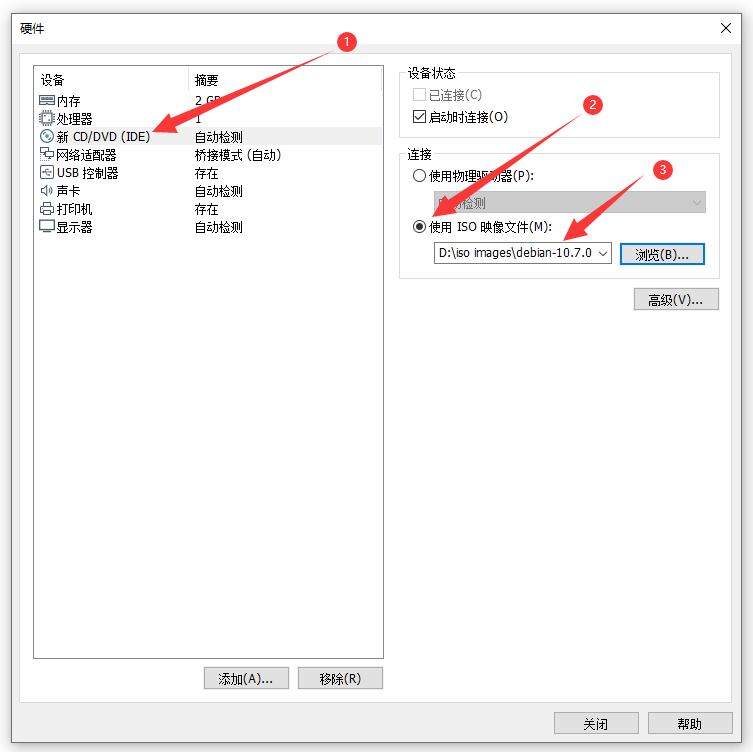
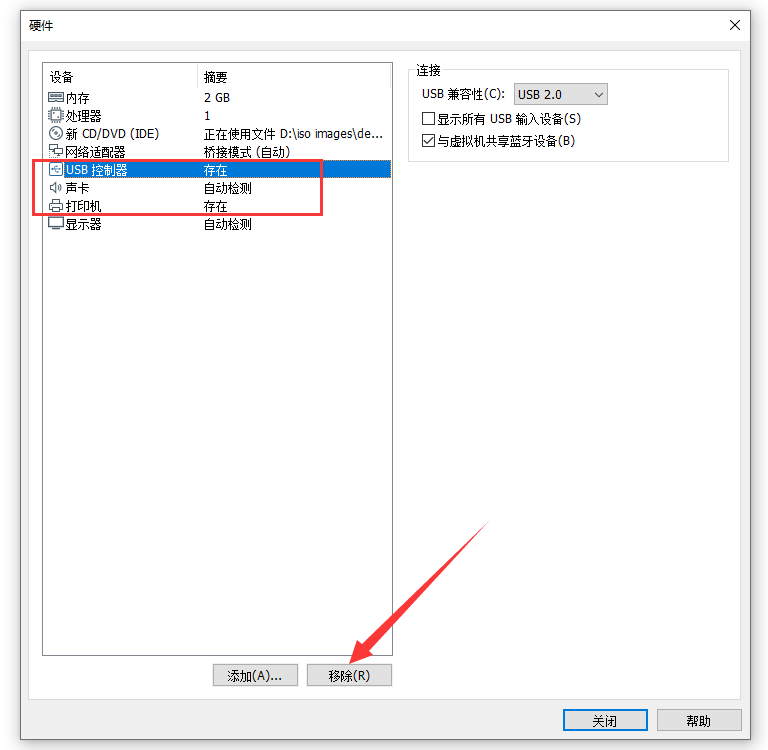
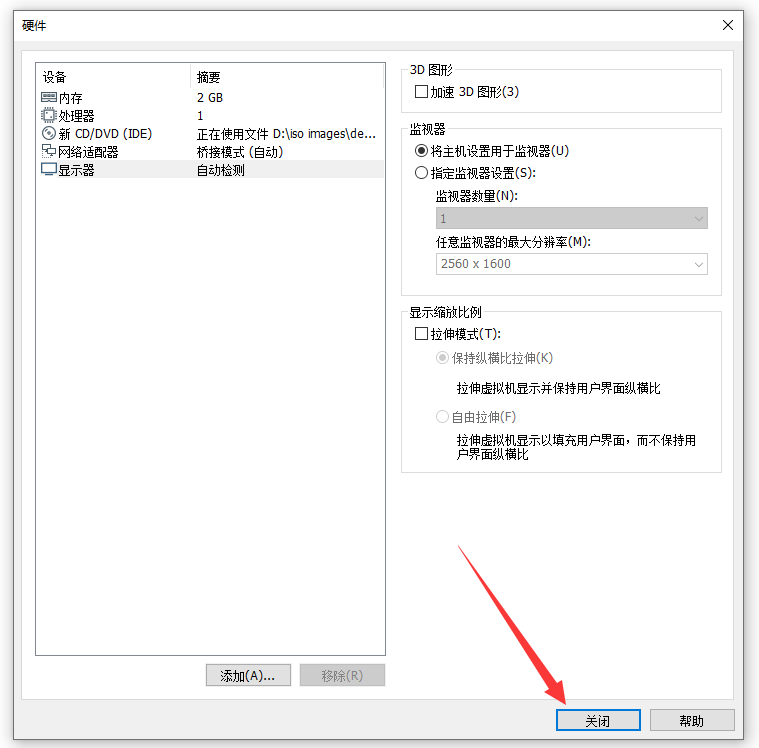
18、移除这三项
19、
20、
21、
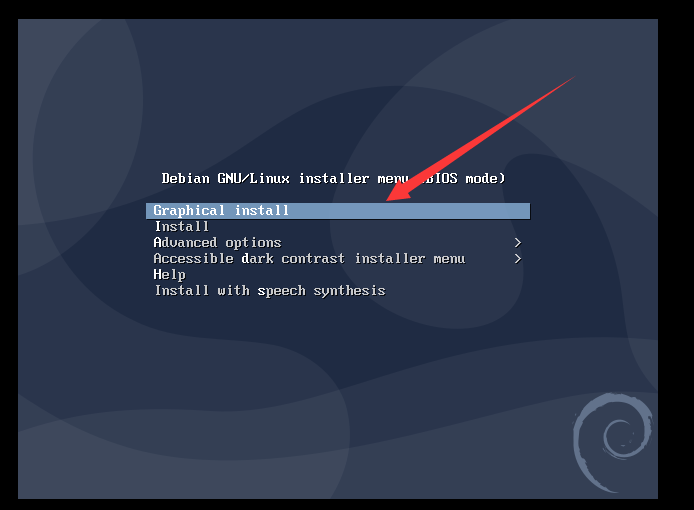
22、把鼠标点击虚拟机空白处,然后使用方向键,选择 图形安装,然后回车
23、
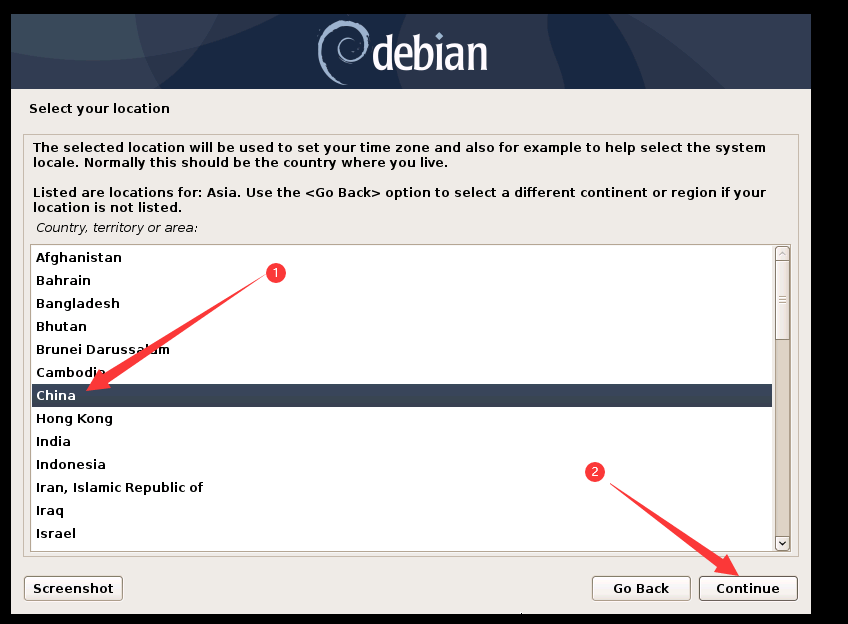
24、双击 other
25、双击asia
26、
27、
28、
29、
30、
31、
32、
33、
34、
35、
36、
37、
38、
39、
40、
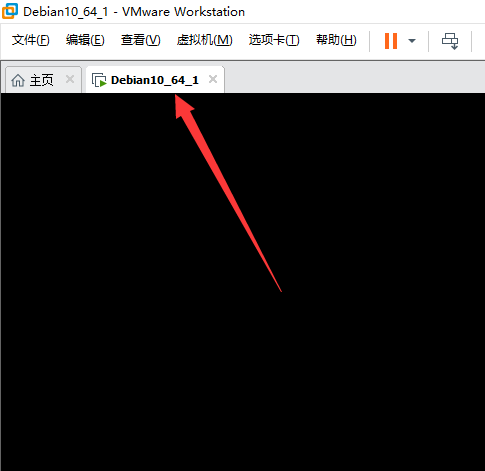
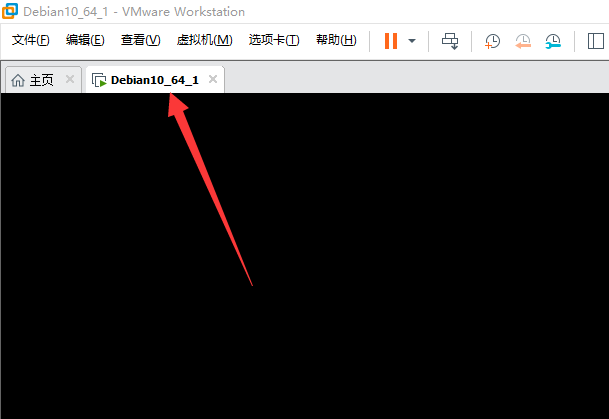
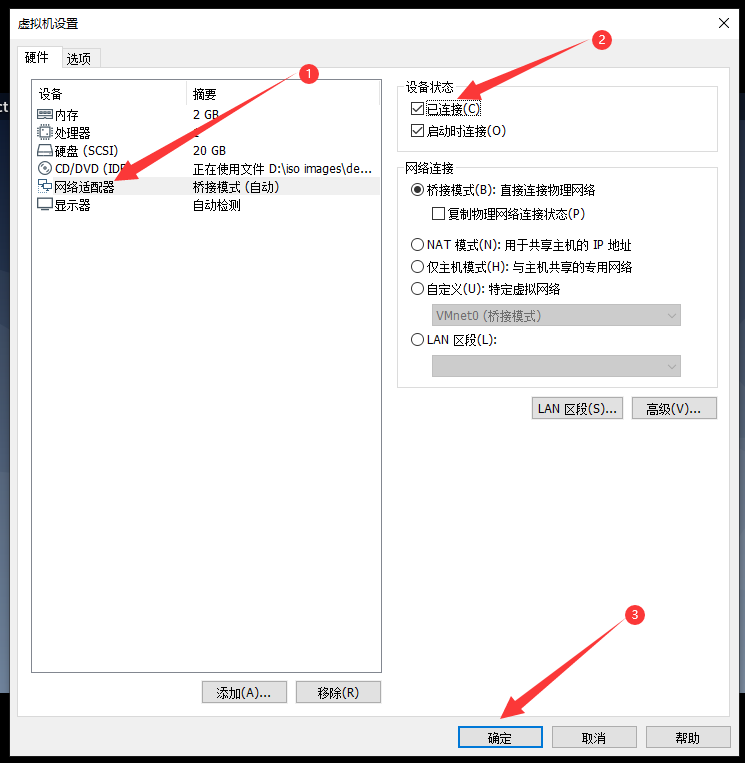
41、此时,右击虚拟机名称,选设置
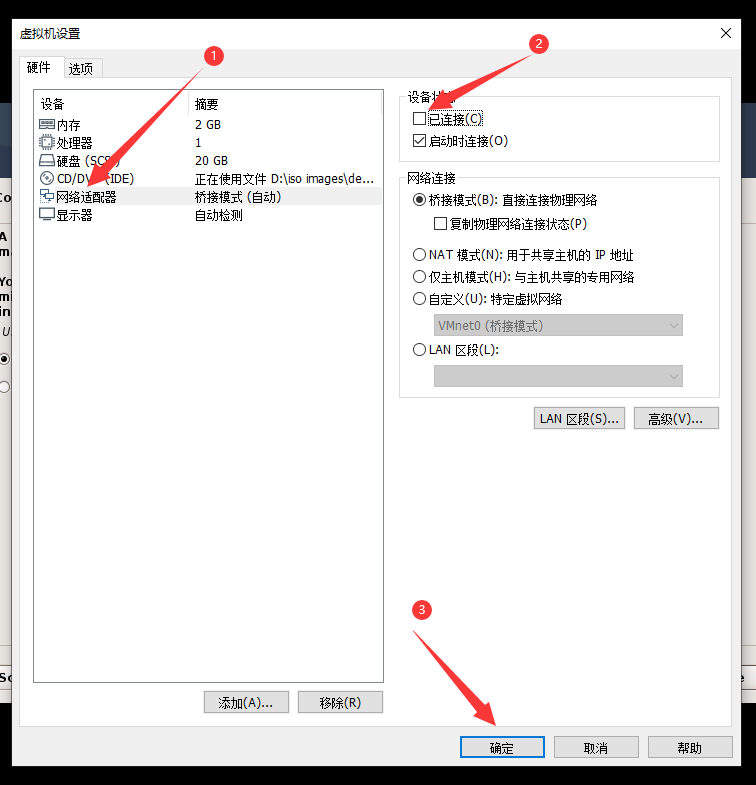
42、把已连接前面的钩去掉,点确定
43、
44、
45、
46、
47、
48、
49、
50、
51、右击虚拟机名称,选设置
52、勾选已连接
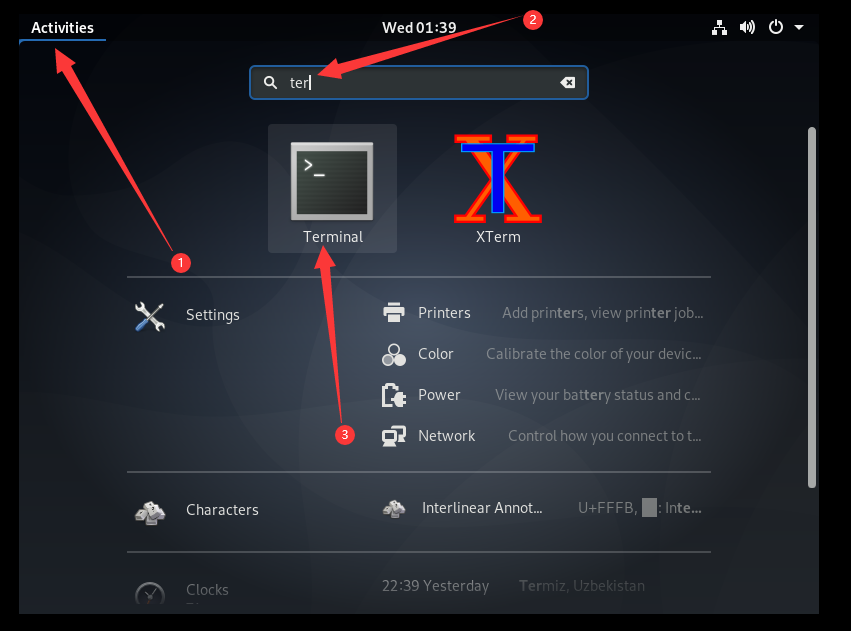
53、点击activity,在输入框输入termi,点击下面的Terminal
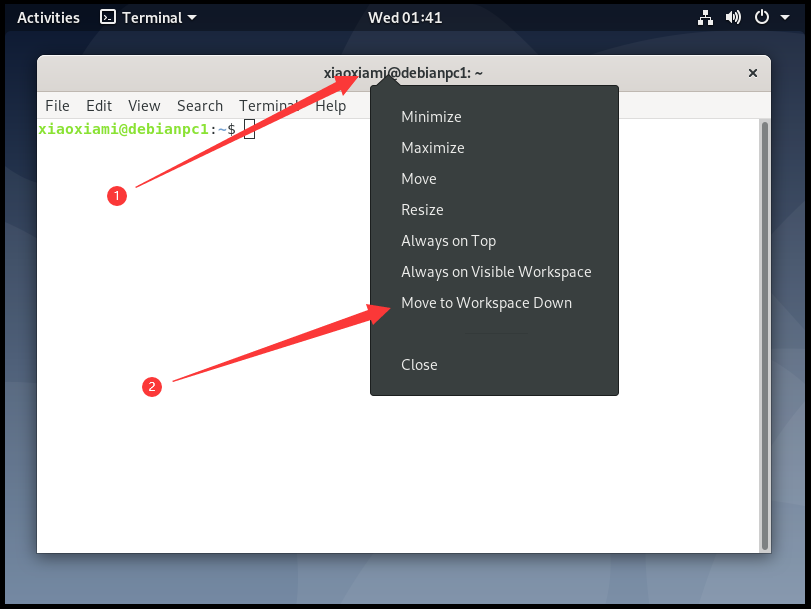
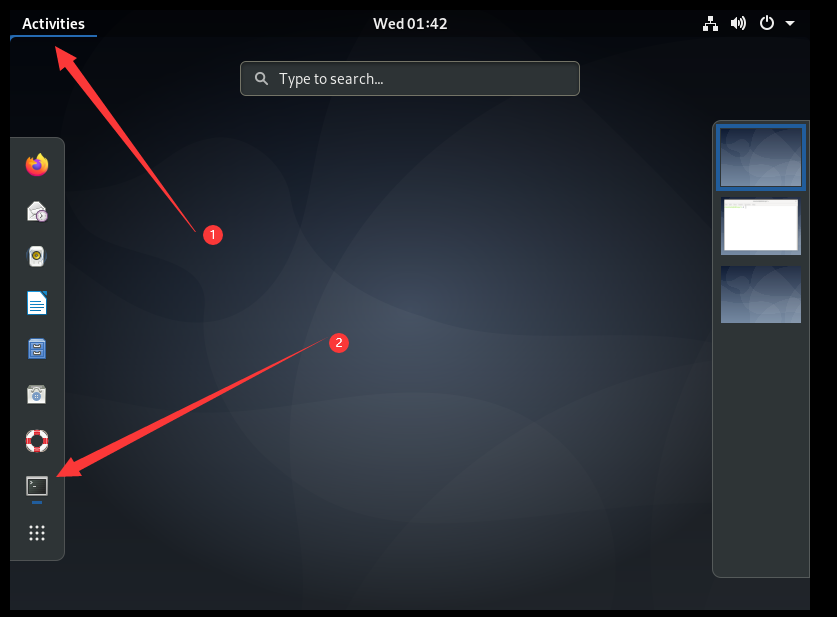
54、右击终端标题,点击move to workkspace down
55、
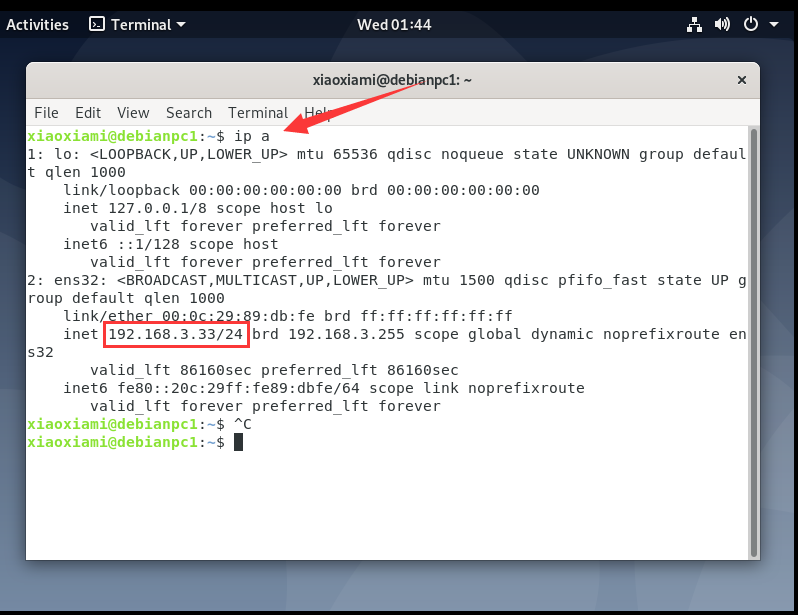
56、检测ip
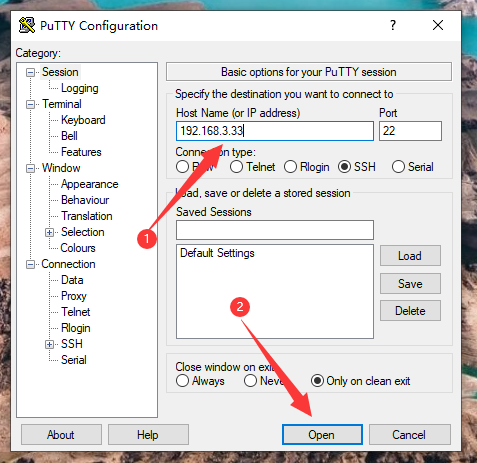
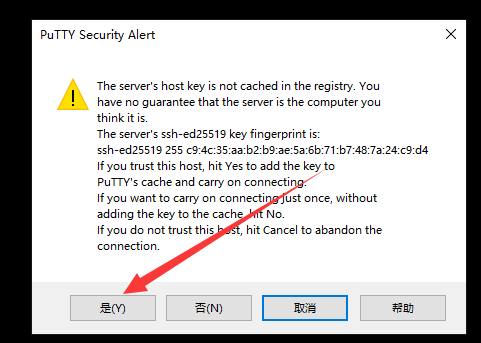
57、测试ssh登录
login as: xiaoxiami
xiaoxiami@192.168.3.33's password:
Linux debianpc1 4.19.0-13-amd64 #1 SMP Debian 4.19.160-2 (2020-11-28) x86_64

The programs included with the Debian GNU/Linux system are free software;
the exact distribution terms for each program are described in the
individual files in /usr/share/doc/*/copyright.

Debian GNU/Linux comes with ABSOLUTELY NO WARRANTY, to the extent
permitted by applicable law.
xiaoxiami@debianpc1:~$ whoami
xiaoxiami
xiaoxiami@debianpc1:~$ hostname
debianpc1
xiaoxiami@debianpc1:~$ hostnamectl
   Static hostname: debianpc1
         Icon name: computer-vm
           Chassis: vm
        Machine ID: 1bcda09948cb4402aa6903bf28166846
           Boot ID: 4bf6cb03c0f8423fa80ec54144687350
    Virtualization: vmware
  Operating System: Debian GNU/Linux 10 (buster)
            Kernel: Linux 4.19.0-13-amd64
      Architecture: x86-64
58、测试网络
xiaoxiami@debianpc1:~$ ping www.baidu.com   ## 测试外网
PING www.a.shifen.com (39.156.66.14) 56(84) bytes of data.
64 bytes from 39.156.66.14 (39.156.66.14): icmp_seq=1 ttl=51 time=10.9 ms
64 bytes from 39.156.66.14 (39.156.66.14): icmp_seq=2 ttl=51 time=11.2 ms
64 bytes from 39.156.66.14 (39.156.66.14): icmp_seq=3 ttl=51 time=11.1 ms
^C
--- www.a.shifen.com ping statistics ---
3 packets transmitted, 3 received, 0% packet loss, time 23ms
rtt min/avg/max/mdev = 10.918/11.093/11.247/0.160 ms
xiaoxiami@debianpc1:~$ ping 192.168.3.4   ## 测试物理机
PING 192.168.3.4 (192.168.3.4) 56(84) bytes of data.
64 bytes from 192.168.3.4: icmp_seq=1 ttl=128 time=0.102 ms
64 bytes from 192.168.3.4: icmp_seq=2 ttl=128 time=0.181 ms
64 bytes from 192.168.3.4: icmp_seq=3 ttl=128 time=0.202 ms
^C
--- 192.168.3.4 ping statistics ---
3 packets transmitted, 3 received, 0% packet loss, time 40ms
rtt min/avg/max/mdev = 0.102/0.161/0.202/0.045 ms
C:\Users\75377>ping 192.168.3.33   ## 物理机pingdebian虚拟机

正在 Ping 192.168.3.33 具有 32 字节的数据:
来自 192.168.3.33 的回复: 字节=32 时间<1ms TTL=64
来自 192.168.3.33 的回复: 字节=32 时间<1ms TTL=64
来自 192.168.3.33 的回复: 字节=32 时间<1ms TTL=64
来自 192.168.3.33 的回复: 字节=32 时间<1ms TTL=64

192.168.3.33 的 Ping 统计信息:
    数据包: 已发送 = 4,已接收 = 4,丢失 = 0 (0% 丢失),
往返行程的估计时间(以毫秒为单位):
    最短 = 0ms,最长 = 0ms,平均 = 0ms
网络连通。
来源:https://www.cnblogs.com/liujiaxin2018/p/14209564.html |



 发表于 2020-12-30 01:52:00