3
0
热心网友
创建仓库,提交代码
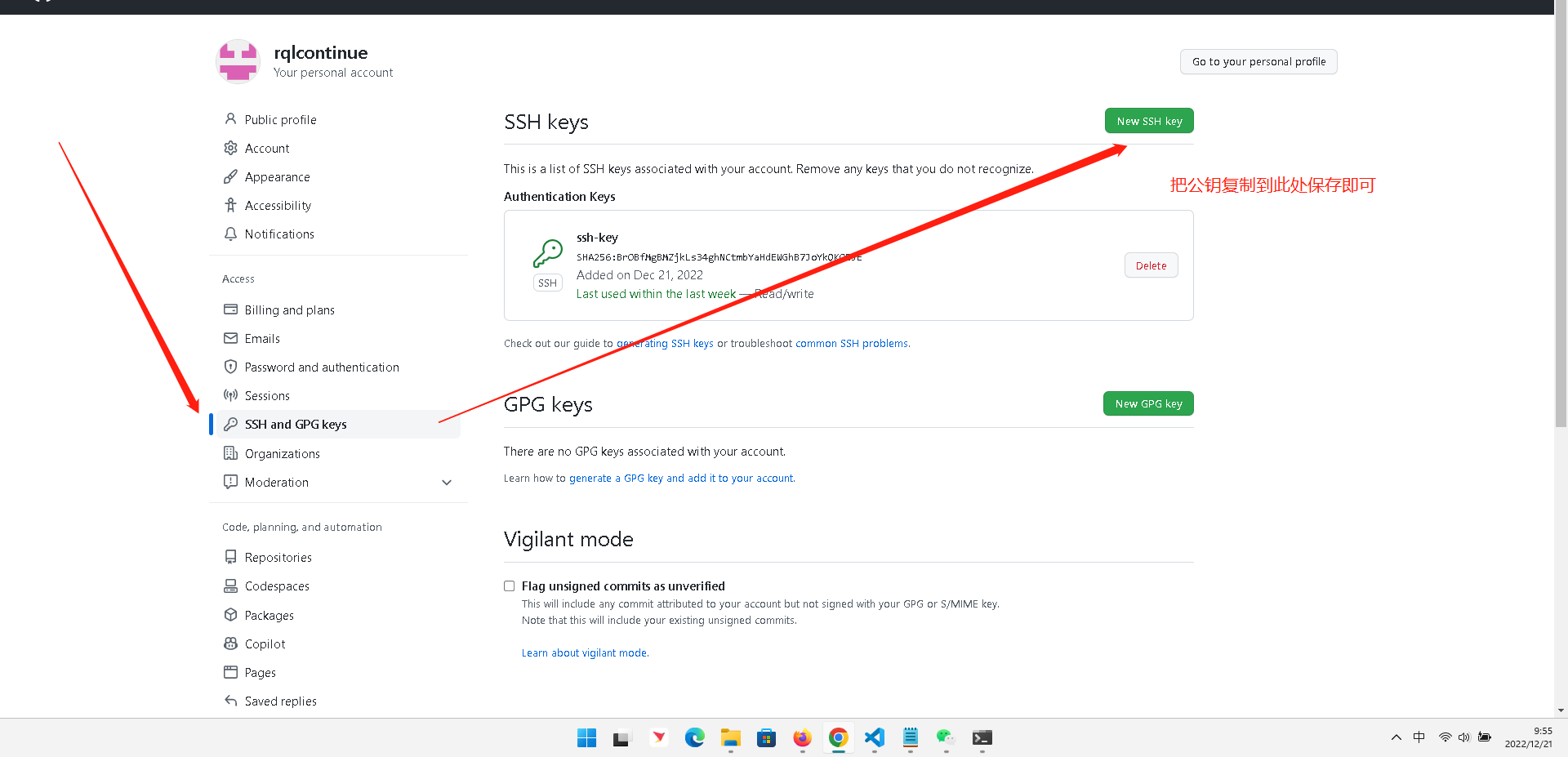
第一步,配置密钥
生成密钥命令:ssh-keygen -t rsa
密钥地址:C:\Users\Code617\.ssh
需要把公钥配置到github上
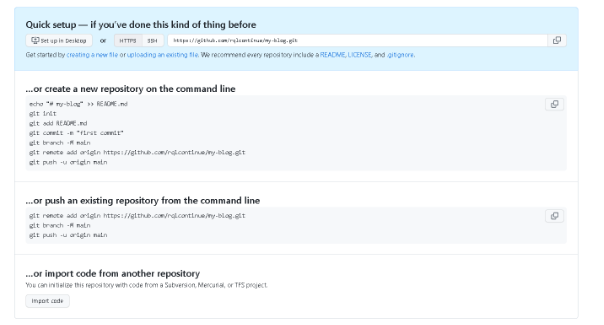
echo "# my-blog" >> README.md
git init
git add README. md
git commit -m "first commit"
git branch -M main
git remote add origin https://github.com/rqlcontinue/my-blog.git
git push -u origin main
git remote add origin https://github.com/rqlcontinue/my-blog.git
git branch -M main
git push -u origin main
使用道具 举报
本版积分规则 发表回复 回帖并转播 回帖后跳转到最后一页
圆梦公社,专注于为全球华人提供纯粹技术交流的地方,请勿发布任何政治及违法的言论。如有相关侵权、举报、投诉及建议等,请发 E-mail:dzh188@hotmail.com
Powered by Discuz! X5.0 © 2001-2026 Discuz! Team.



 发表于 2022-12-21 09:54:00