|
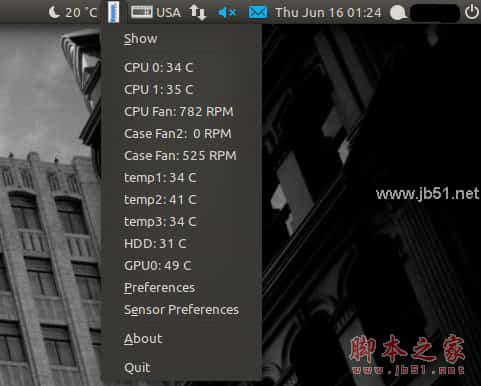
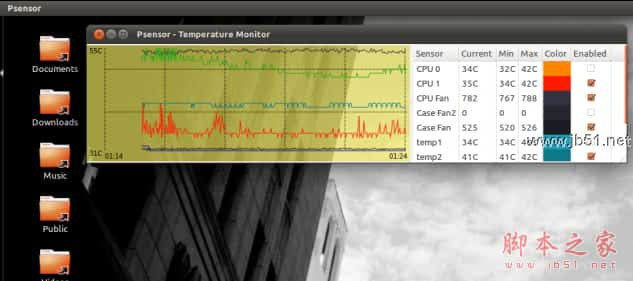
支持监控以下硬件温度:
主板和CPU温度
Nvidia GPU温度
实验性ATI/AMD GPUs温度监控,Ubuntu PPA中未启用。
硬盘温度
风扇转速
CPU使用率
效果图:
首先安装监控cpu 主板 风扇等需要的包:
sudo apt-get install lm-sensors hddtemp
sudo sensors-detect
回复"yes"即可。
重启或通过以下命令加载 sensor需要的模块。
sudo service module-init-tools start
sudo apt-get install psensor
或者通过stable PPA安装
sudo add-apt-repository ppa:jfi/ppa
sudo apt-get update
sudo apt-get install psensor
另外还有个unstable Ubuntu PPA,可能会有bug
sudo add-apt-repository ppa:jfi/psensor-unstable
sudo apt-get update
sudo apt-get install psensor |



 发表于 2023-12-20 00:00:00